DOCS / HOW-TO GUIDES / FURNITURE
Build a bookcase round a doorway
A removed cell is a gap in the carcass: the panels round it become its edges.
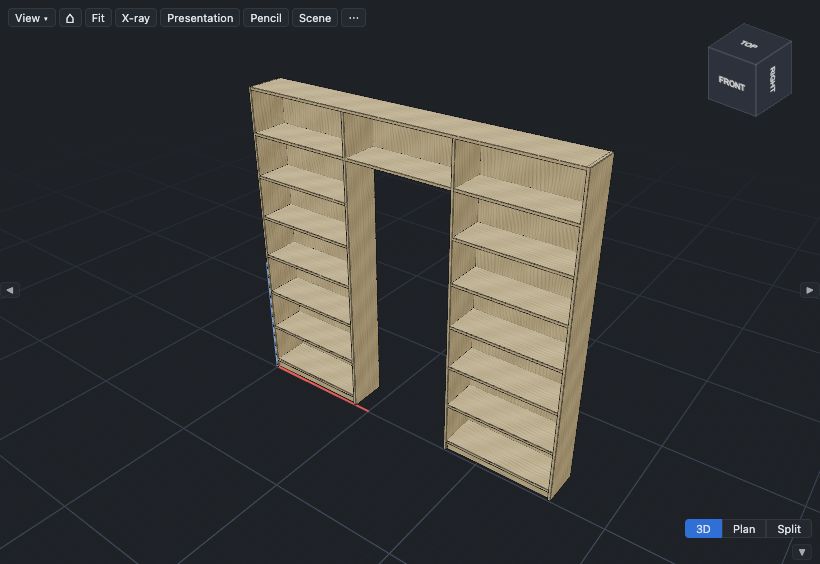
Make the bookcase#
- Select File ▸ New ▸ Bookcase….
- At Width, type
2600. At Height, type2400. - Click Create.
- In the Layout section, at Column widths, click + two times.
- At Row heights, click + two times.
Choose the shelves#
Do this first. Contents that you set over a range also replace a removed cell. Row 1 goes over the door and is about 300 mm high, so it gets no shelves.
- Click cell A1, then hold Shift and click cell C1.
- Click Contents….
- At Shelves, type
0. - Click Apply to A1:C1.
- Click cell A2, then hold Shift and click cell C3.
- Click Contents…. At Shelves, type
2. - Click Apply to A2:C3.
Remove the cells for the doorway#
- Click cell B2, then hold Shift and click cell B3.
- Click Merge.
- Click Contents…, and select Remove cell.
- At Doorway width, type
850. At Doorway height, type2050. - Click Apply to B2:B3.
The doorway width and height are the clear opening that the bookcase must leave. If the door has an architrave, measure across the architrave.
The grid shows B2:B3 as a gap. Merge the doorway's cells before you remove them, so that the check measures the doorway as one gap.
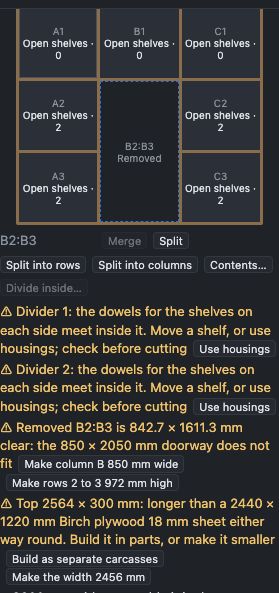
Make the gap the doorway's size#
The check under the grid gives the gap's clear size. The width is between the panels each side. The height is from the floor to the panel over the gap.
- If the check shows ⚠, click Make column B 850 mm wide.
- Click the Make rows 2 to 3 … mm high button.
The check then shows ✓ 850 × 2050 mm clear, and each tower has spaces of about 310 mm. The panels each side of the doorway go down to the floor. The bottom, the plinth and the back stop at the doorway.
Build it as separate carcasses#
In one frame, the top is 2564 mm long, longer than a sheet. The check ⚠ Top 2564 × 300 mm: longer than a 2440 × 1220 mm … sheet says so.
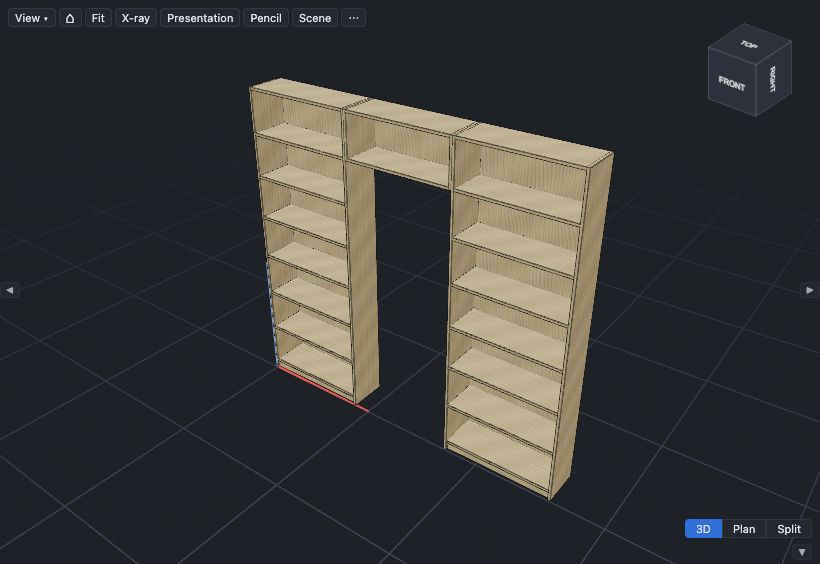
- In that check, click Build as separate carcasses.
Each tower is a carcass, and the bridge over the door is a shorter carcass. The gap is now the bridge carcass's outside width, so it is wider than the door.
- In the check, click Make column B 814 mm wide so the gap is 850 mm.
A gap does not go under a raked top, or with sliding or in-frame doors. Every row and every column keeps one cell at least, and the cells that you keep must touch side to side.
Next: Fit a carcass into an alcove.