Joints you can cut
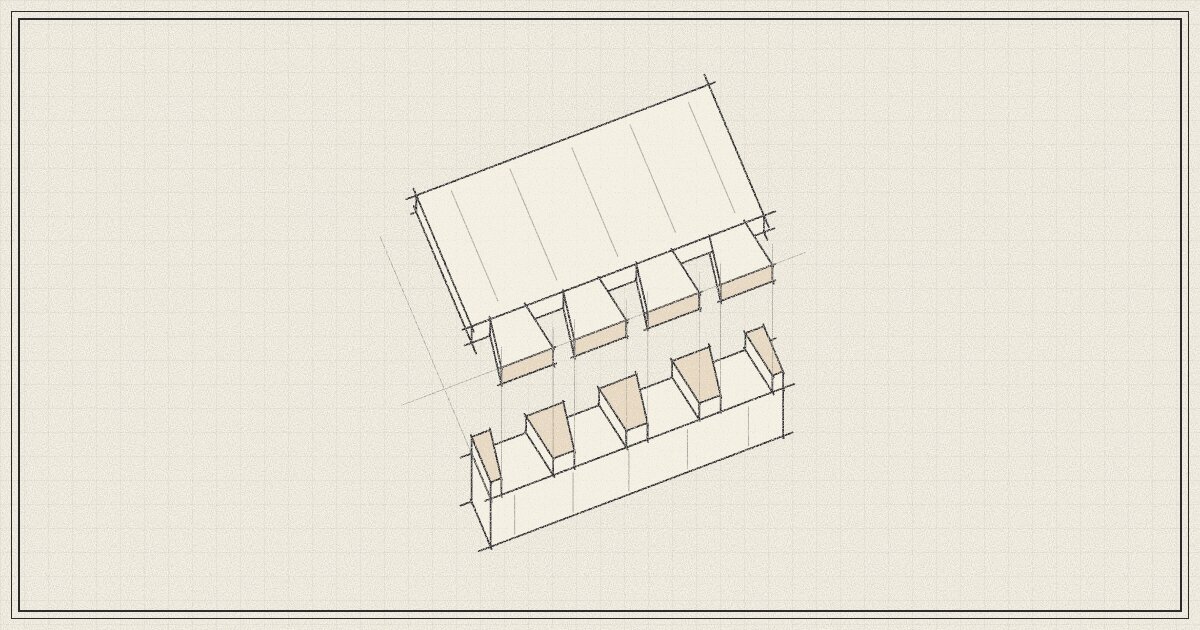
A dovetail holds a drawer front on: each time you pull the handle, the tails lock the front in place. But before the first saw cut, you must lay it out: the tails, the pins, and how much longer the side must be.
Until now, a drawer side in KerfCraft stopped at the back of the drawer front, and that layout was yours to do. Now KerfCraft cuts the joint into the parts.
Pick two parts, add a joint#
Select the two parts, right-click, and click Add joint…. You say which part is cut into, and which part goes into it.
Then you choose one of 24 joints. Among them are three kinds of mortise and tenon, bridles, half laps, box joints and mitres. There are through, half-blind and sliding dovetails too.
KerfCraft cuts the joint into both parts, and changes their sizes where the joint needs it. A tenon makes the rail longer or shorter, so that the tenon reaches into the mortise. A housing makes the shelf longer by the depth of the housing. The cut list and the part drawings show the new sizes.
A dovetail, worked out for you#
Take the corner of a shallow hardwood drawer: a walnut front 27 mm thick, and an oak side 20 mm thick. Ask for a half-blind dovetail, and KerfCraft lays out 2 tails at a slope of 1:8. It leaves a 7 mm lap, a layer of the front in front of the tails, so the joint does not show from the front. It makes the side 20 mm longer, so the tails reach into the front.
The slope comes from the wood: 1:6 for softwood, 1:8 for hardwood such as this oak. A slope of 1:8 means the tail gets 1 mm wider for each 8 mm of its length. KerfCraft gives each slope as a ratio and an angle, for example 1:8 (7.1°). So if you cut with a router, you can match the slope to your bit.
You can choose the slope, the number of tails, and the spacing. Even spacing is the look of a router jig. London spacing has fine pins and wide tails, cut by hand.
See it come apart#
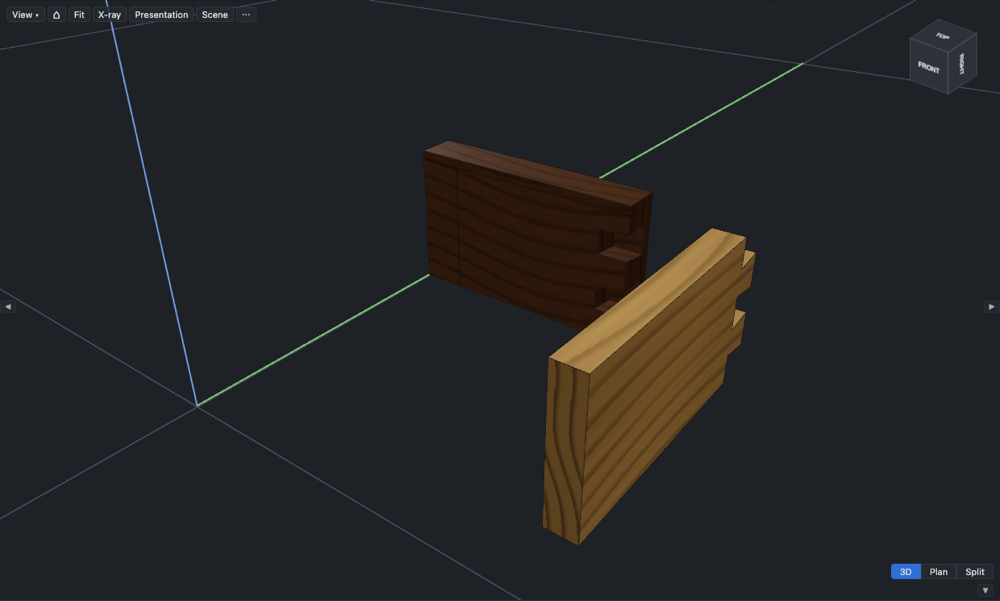
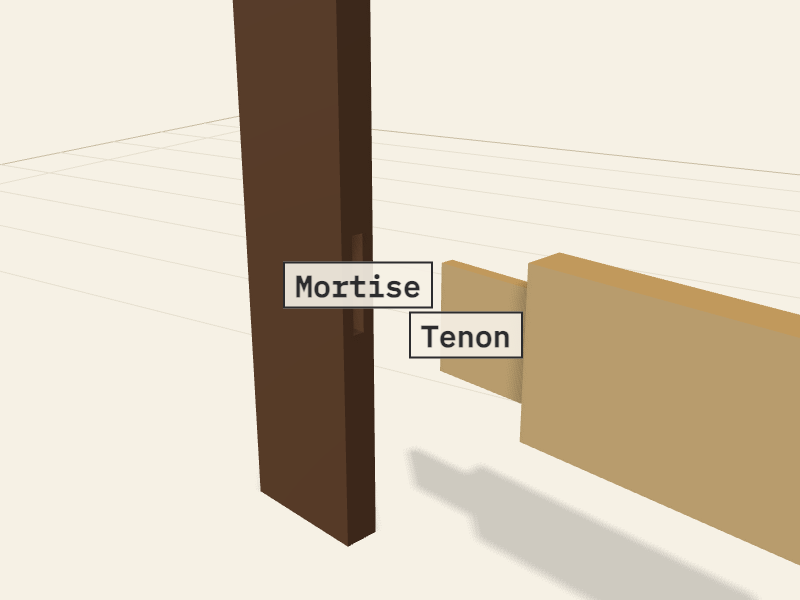
Each joint shows in the 3D view, cut into the parts. Slide one part away, and you can see the tails and the sockets, or the tenon and the mortise.
The docs do the same. Every joint has a model that you can turn and pull apart, with its parts named.
A template for the bench#
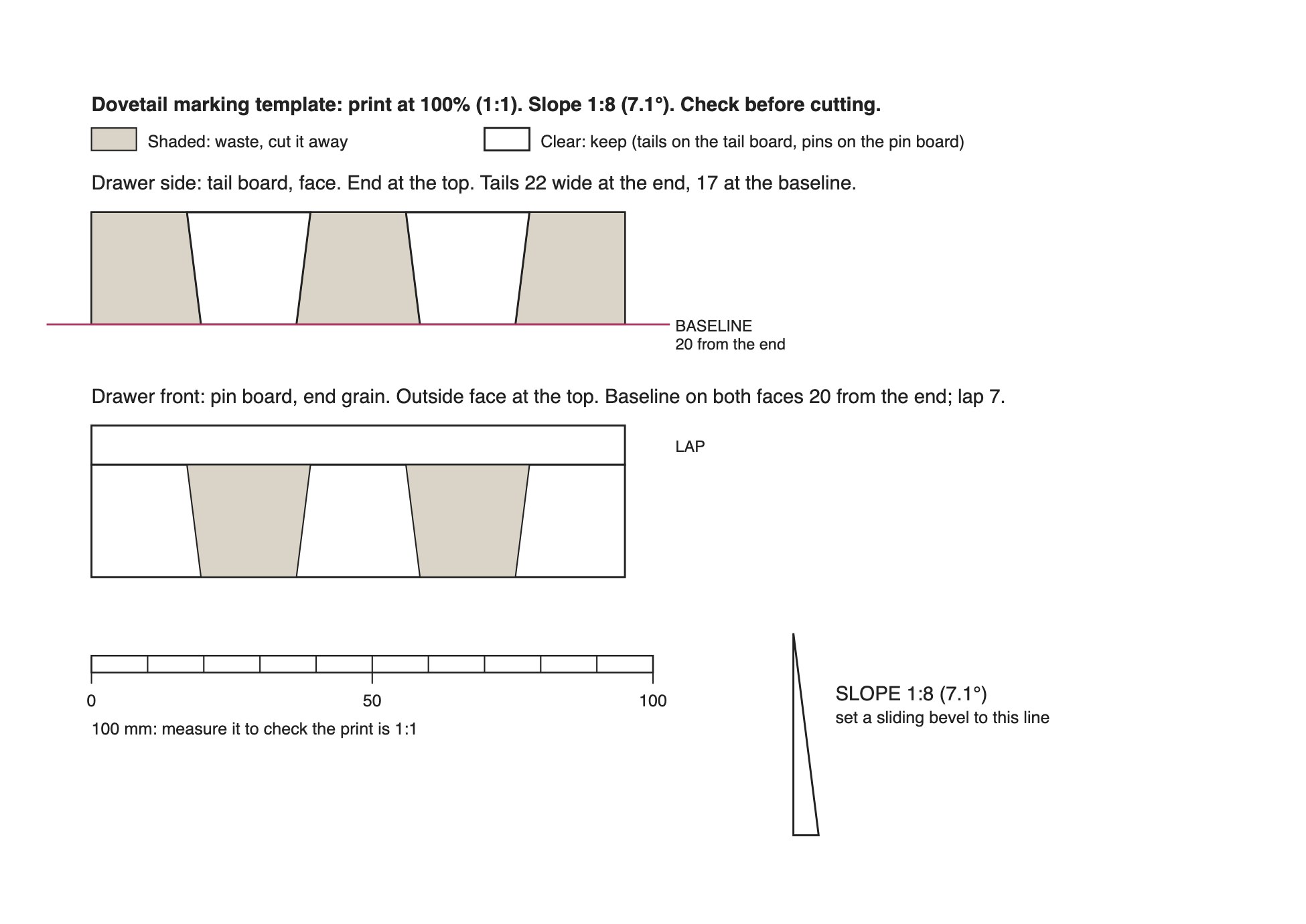
For through and half-blind dovetails, the workshop pack prints a marking template at full size. The workshop pack is the PDF that KerfCraft makes for the bench. The template shows the tail board with the baseline, the end grain of the pin board, and a slope gauge for your sliding bevel. A 100 mm scale bar tells you if the print is the right size.
Drawers and carcasses#
You do not have to add every joint by hand. A cabinet with drawers can have dovetailed drawers. Set drawerJoint to dovetail, and every drawer box gets half-blind dovetails at the front and through dovetails at the back.
To see eight drawer joints side by side, download the drawer joint sampler from Choosing a joint and open it in KerfCraft.
Make something#
Pick out a board you love, open the workshop, and add a joint between two parts. The steps are in Cut dovetails and Add joints.